
When editing specific items (post, page, job or event), there are the following options:
Preview
Allows preview with multiple responsive layouts:

View post
Opens the live version of the item you’re working on:
Update
Allows you to save your changes
Settings
Under Settings, you can switch between Post and Block editing:
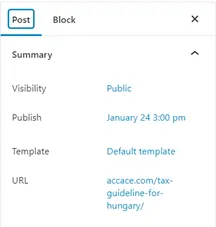
Post editing – allows you to adjust categories, featured image and everything post-related
Block editing – a specific block needs to be selected in order to see further settings here
Under Posts, you have the following sections:
Summary
Contains the following settings:
- Visibility (public, private or password protected)
- Publish (adjusts publishing date and allows scheduling of publishing)
- Template (do not edit)
- URL (adjust URL as needed)
- Stick to the top of the blog (do not check)
- Author (WordPress user)
- Switch to draft and Move to bin (never do with published content unless redirection is also set up)

Categories
Contains the following settings:
- Search categories (allows you to search for a specific category instead of scrolling for it)
- List of categories (check the categories that are applicable for the content type)
- Add new category (allows you to create new categories – please note, that new categories don’t automatically appear in e.g., the Newsroom)

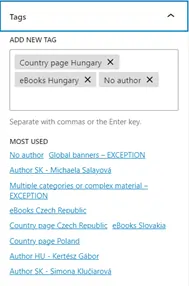
Tags
Contains the following settings:
- Add new tag (from existing tags)
- Most used (provides an overview of the most frequently used tags)
Excerpt
Allows you to add an excerpt, which appears under the article title e.g., when a post is embedded. Writing an excerpt is not mandatory.

Featured image
Allows you to upload or assign a featured image. For more information about image sizes, refer to the chapter Media library and optimization.
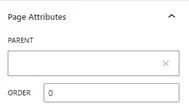
Page attributes
Allows you to set up a parent page.
Link suggestions
Provides a list of content types that can be linked or inserted into the article.

LiteSpeed Options
LiteSpeed Cache for WordPress (LSCWP) is an all-in-one site acceleration plugin, featuring an exclusive server-level cache and a collection of optimization features. No action is required in this section.
